
I'm not sure if it was because of flutter clean or upgrading a package version, but... when I connected my iPhone and tried to run on that device, I couldn't get past this screen. I had definitely unlocked the keychain in the Keychain Access app before, so I was thinking "why is this showing up again?" Pressing Allow and Always Allow just triggered a vibration asking me to re-enter.
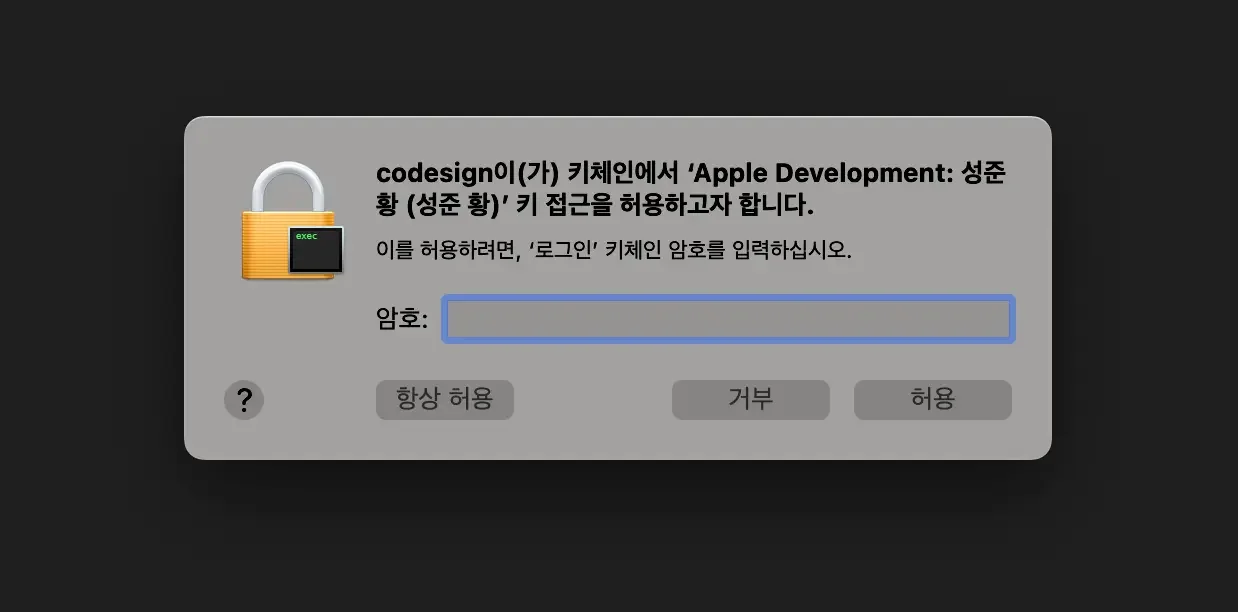
And when I pressed Deny, the following red error message appeared.
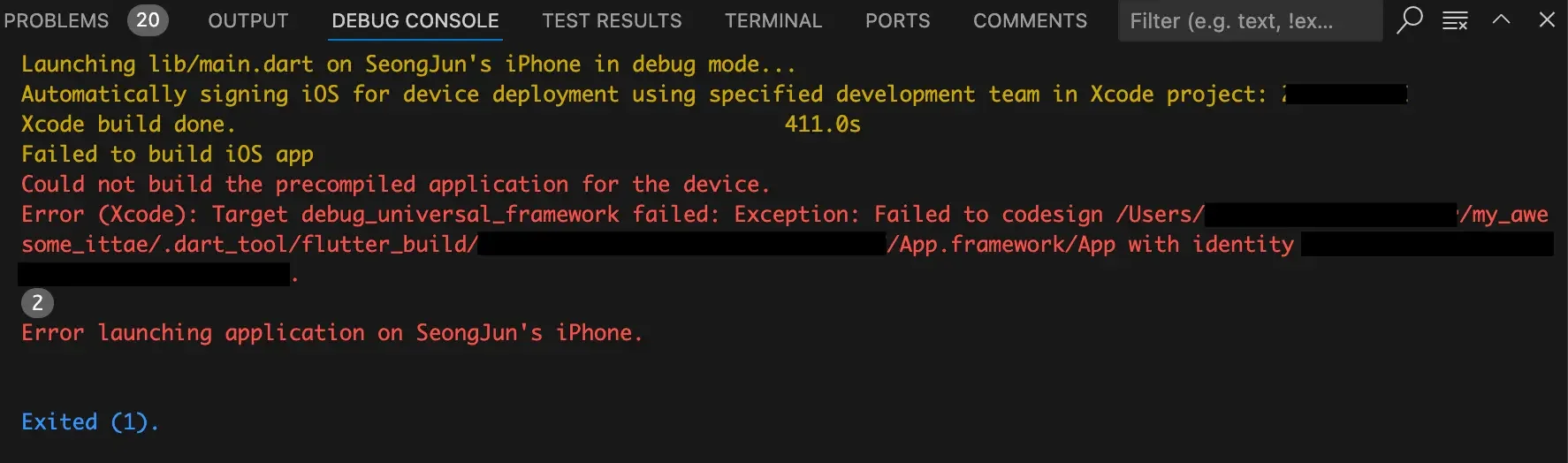
To fix the issue, I reset the build system cache.
Open Xcode and select Product > Clean Build Folder from the 7th menu item at the top.
This will delete the build cache. Then press the Start the active scheme (play icon) button in Xcode to build again.
Since I had already deleted the in-development app from my iPhone, pressing the start button installed the app fresh and prompted for permissions like a first-time install.
It showed the "untrusted developer app" message again, so I went to Settings > General > VPN & Device Management, tapped on the developer account under Developer App, and pressed the blue Trust button.
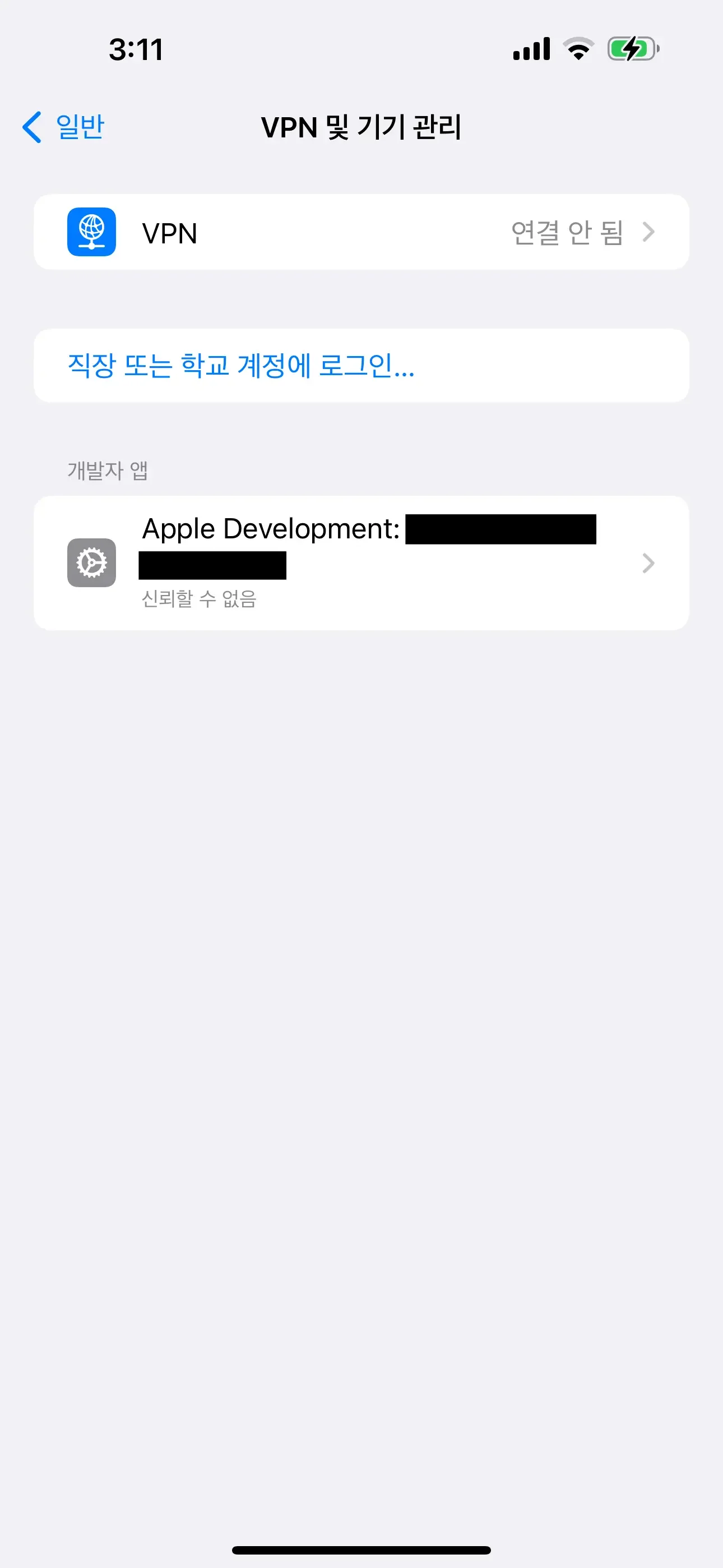
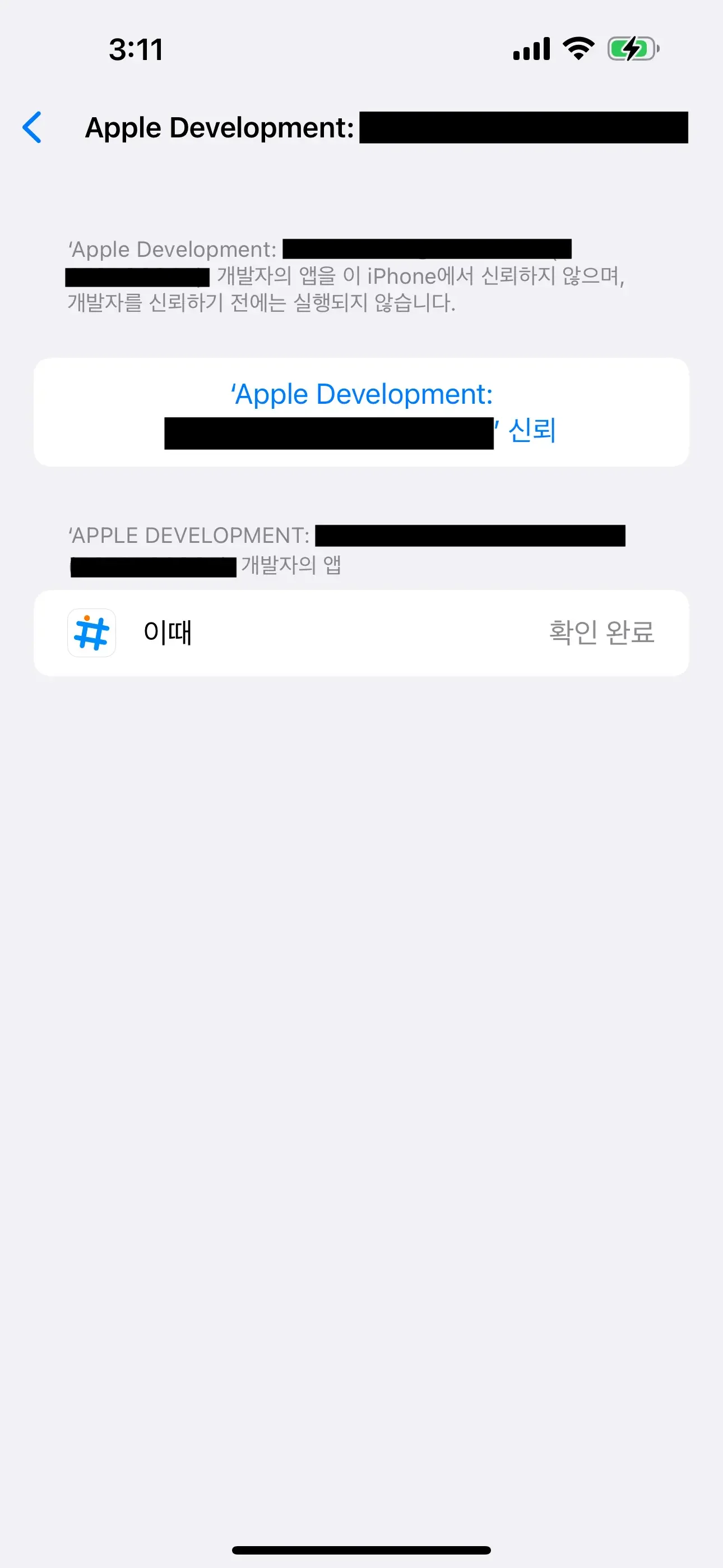
Now it should work fine from VS Code as well!
Music expresses that which cannot be put into words and that which cannot remain silent.
— Victor Hugo