I had a prototype app built with Flutter that worked fine on iPhone, and when I tested it in Chrome on Mac it also worked well, so I did a trial deployment. But after deploying and testing on iPhone, some features didn't work. So I decided to test it by opening Safari on the iPhone.
But even though they were connected to the same Wi-Fi, I had to figure out what URL to use to access it.
First, you need to know the IP address of the computer running the development environment. There are many ways to check your IP.
Checking Your IP#
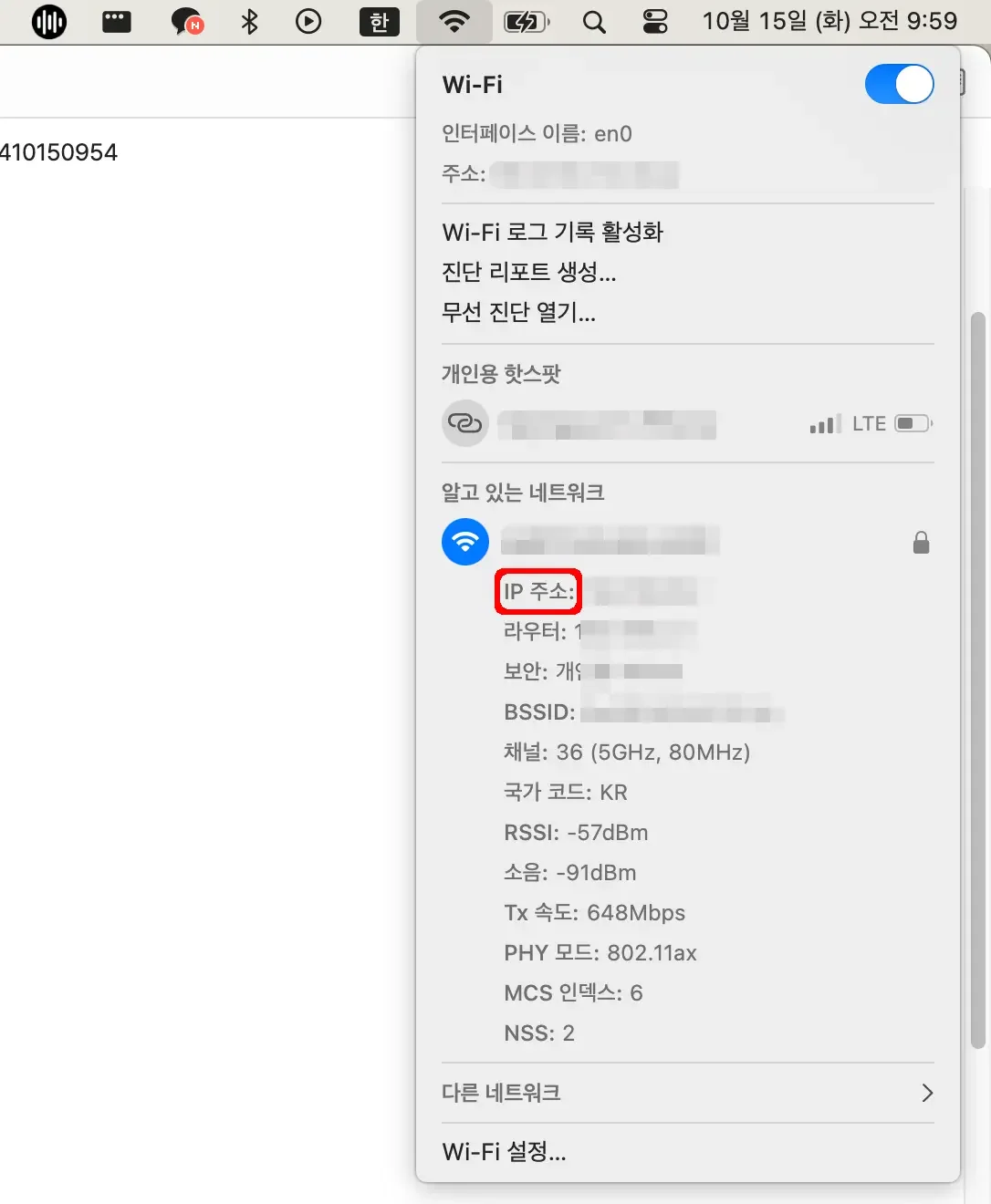
I'll explain for Mac users. If you have the Wi-Fi icon at the top, hold the Option key and click the Wi-Fi icon.
Then instead of the usual display, you'll see something like this, where you can find your assigned IP near the connected Wi-Fi.
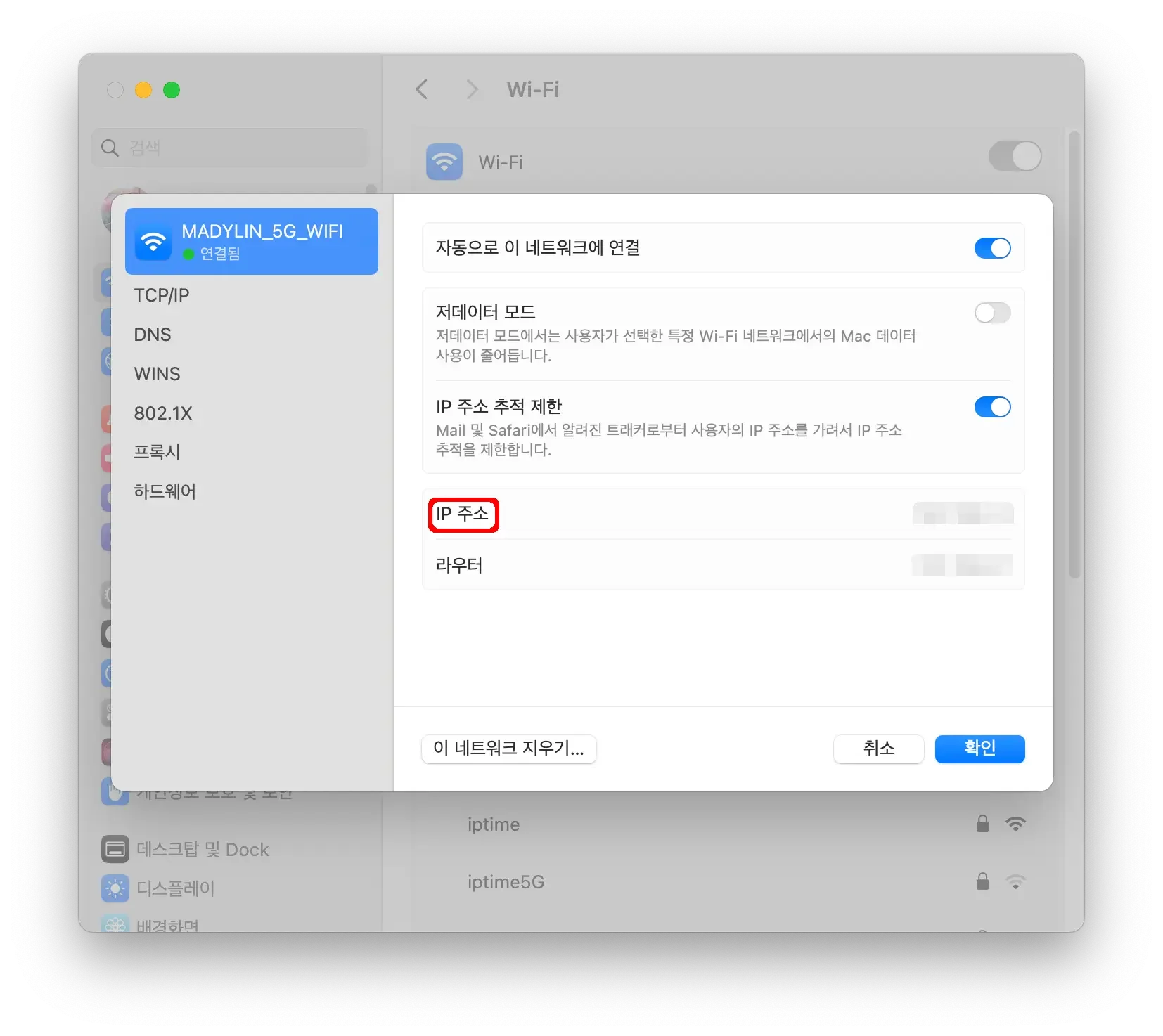
You can also check the IP address through System Settings -> Wi-Fi -> click the Details button on the connected Wi-Fi.
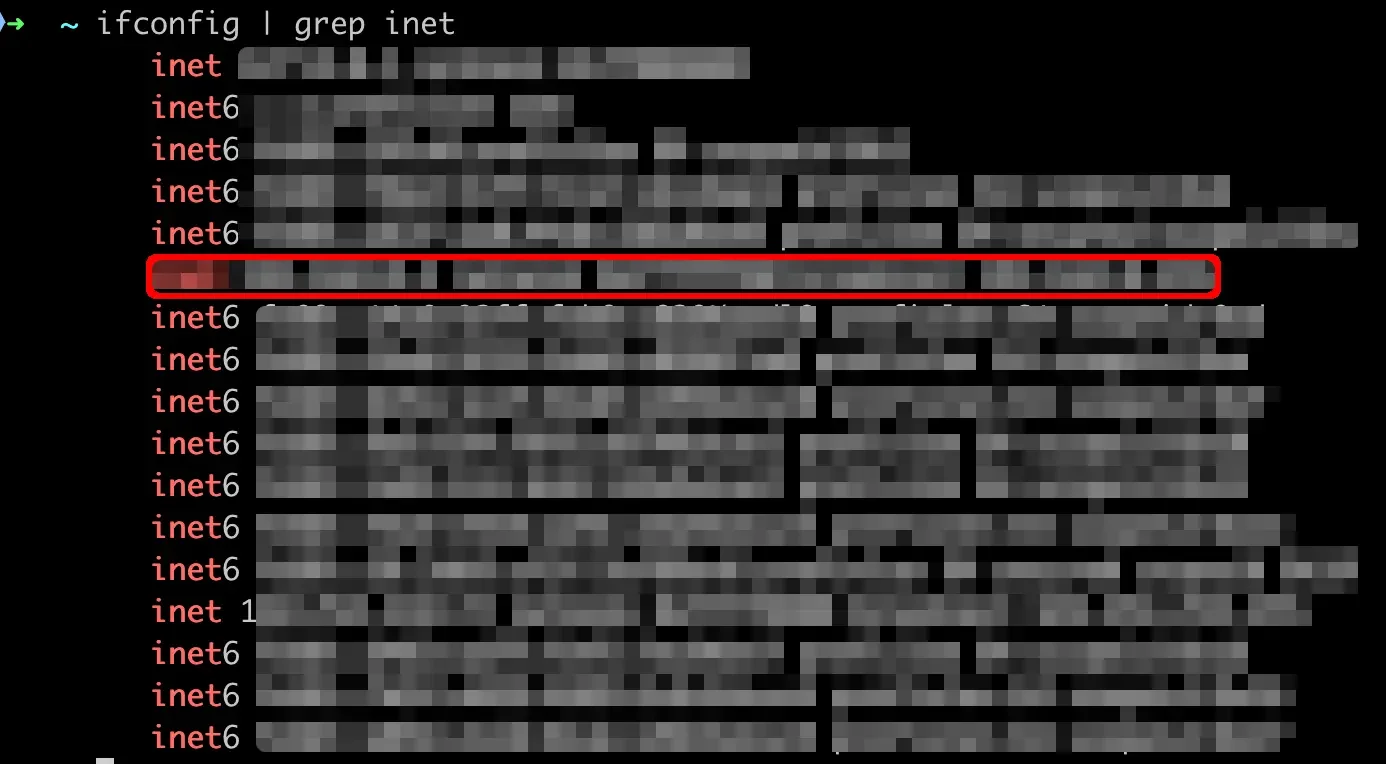
If you want to check via terminal, type ifconfig | grep inet. You'll find the IP on the 6th line, right before the text "netmask."
Connecting from iPhone#
When I tried connecting with Flutter set to Chrome (the default) in VS Code, it didn't connect.
Instead, run flutter run -d chrome --web-hostname=0.0.0.0 --web-port=8080, and once Chrome opens, change the IP address in the URL bar and copy it.

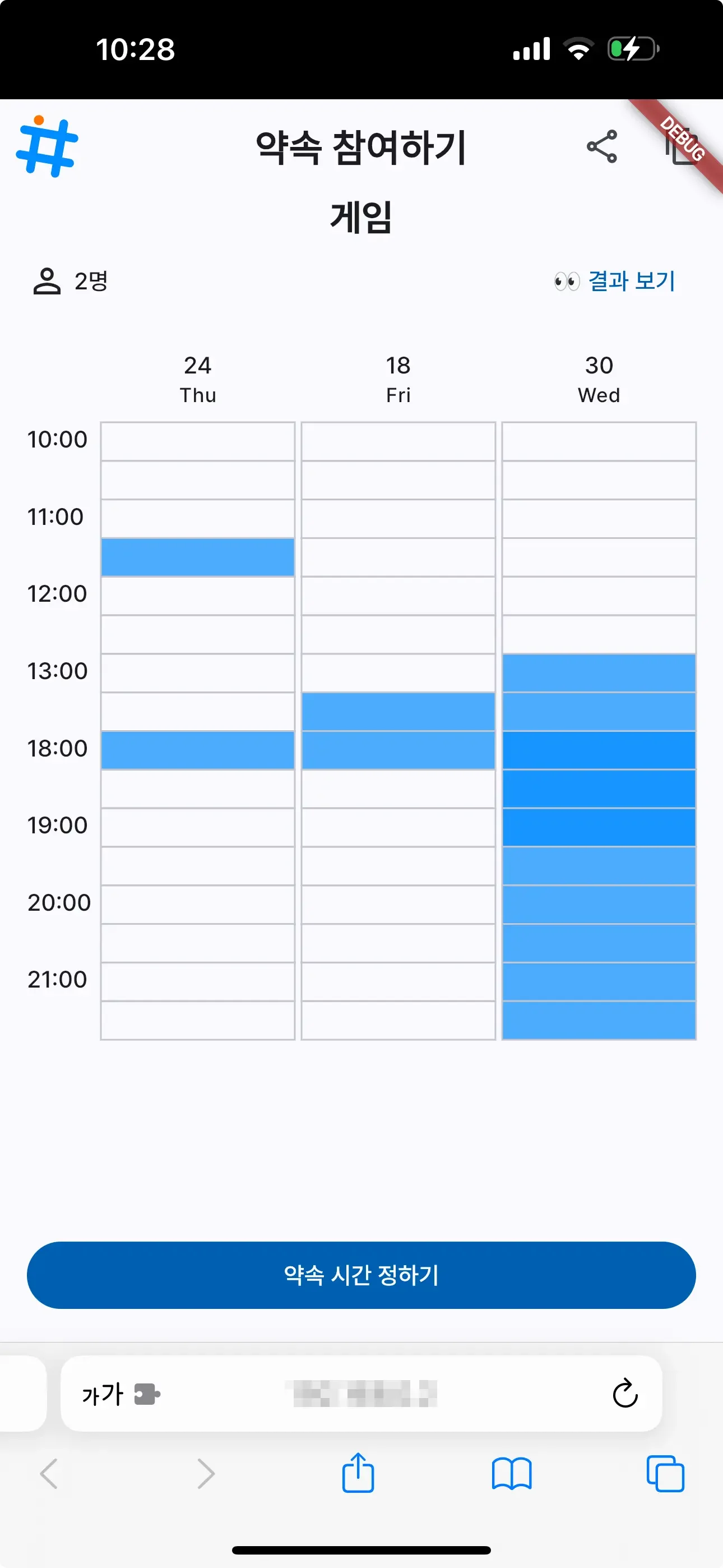
On your iPhone, open your preferred browser, tap the address bar, and hit Paste and Go. Wait a moment, and it should connect! Then you can see the result like this, accessed via Safari on iPhone.
In peace, sons bury their fathers. In war, fathers bury their sons.
— Herodotus