
I've been putting off testing for a while, but it's finally time to give it a try. 😣
I've been rapidly building features in the order of domain -> data -> application -> presentation, and as I started integrating things, errors kept popping up. That made me realize I should use tests to verify each layer works correctly before moving on.
Testing in Flutter#
Flutter makes it easy to use the Given-When-Then pattern, which is widely used in testing elsewhere. Flutter also supports UI testing.
Let me explain how I did unit tests. In VS Code, select the file you want to test. Right-click and you'll see a "Go to Tests" option — click it. If the test file doesn't exist, a snackbar will appear at the bottom asking if you want to create one. The nice thing is it creates the file under the test folder with the same path structure as {original_filename}_test.dart.
Once created, the file will look something like this:
import 'package:flutter_test/flutter_test.dart';

void main() {
  testWidgets('when to meet service ...', (tester) async {
    // TODO: Implement test
  });
}
It generates a testWidgets right away, but since I'm testing logic before the widget layer, I'll be using the group and test functions. The main functions used inside the main function are testWidget, test, and group.
testWidget is a function for testing widgets.
test is a function for testing logic.
group is a wrapper function for running multiple test or testWidget functions together.
All three functions have a similar basic structure with 2 required parameters plus a few more, though the callback/body function types aren't exactly the same.
void main() {
	testWidgets(description, callback);
	test(description, body);
	group(description, body);
}
For testWidgets examples, there's already a widget_test.dart file generated when creating the project, so I won't cover that now. I'll write about it later when I need UI testing. This time, I'll create an example using group and test functions to test a repository class.
The Given-When-Then Pattern#
Since I mentioned using the Given-When-Then pattern, let me briefly explain what it is. You don't have to test this way — there's no single correct method for testing. You could simply verify values, or use packages like Selenium to test expected behaviors.
Given-When-Then is essentially a prepare-execute-verify process.
Given: This is where you set up the scenario before starting the behavior you want to test. Think of it as the preconditions for the test.
When: This is where you perform the defined action. The function under test goes here.
Then: This is where you verify the expected changes caused by your defined action. It's the process of checking whether the result matches your expectation.
Here's a Given-When-Then pattern example someone else made that might help you understand:
Feature: User trades stocks
  Scenario: User requests a sell before close of trading
    Given I have 100 shares of MSFT stock
       And I have 150 shares of APPL stock
       And the time is before close of trading

    When I ask to sell 20 shares of MSFT stock

     Then I should have 80 shares of MSFT stock
      And I should have 150 shares of APPL stock
      And a sell order for 20 shares of MSFT stock should have been executed
In the Then phase, you check not only for success but also for failure cases — because if you expected a failure but got success, it could lead to critical bugs.
Test Example#
I have an object called RemoteWhenToMeetRepository in my repository. Inside it, there's a function called addWhenToMeet that saves domain object data to Firebase's Firestore. Let's assume I'm testing this.
class RemoteWhenToMeetRepository implements WhenToMeetRepository {
  const RemoteWhenToMeetRepository({required this.fs});
  final FirebaseFirestore fs;

  CollectionReference get _whenToMeetCollection => fs.collection('when_to_meet');

  @override
  Future<void> addWhenToMeet(WhenToMeet whenToMeet) {
    return _whenToMeetCollection.doc(whenToMeet.id).set(whenToMeet.toJson());
  }

  @override
  Future<WhenToMeet?> getWhenToMeet(WhenToMeetID id) {
    return _whenToMeetCollection.doc(id).get().then((doc) {
      final data = doc.data();
      if (data == null) {
        return null;
      }
      return WhenToMeet.fromJson(doc.data() as Map<String, dynamic>);
    });
  }
}
There are a few ways to test this:
- Create the object to save (WhenToMeet), call FirebaseFirestore.instance inside the test function, run the save function inside the test, and compare with the expected result
- Create the object to save (WhenToMeet), create a RemoteWhenToMeetRepository instance, call the addWhenToMeet function, and compare with the expected result
Since I'm still not familiar with this approach, I think it's better to proceed step by step rather than jumping straight to RemoteWhenToMeetRepository. Since RemoteWhenToMeetRepository requires FirebaseFirestore to be injected externally, I'll first verify that Firestore saves work.
If you plan to use the when function like I do, add mockito to your dependencies.
flutter pub add mockito
void main() {
  test('should save a when_to_meet domain data', () async {
    // given
    final whenToMeet = WhenToMeet.test();
    final fs = FirebaseFirestore.instance;
    final whenToMeetCollection = fs.collection('when_to_meet');

    // when
    when(await whenToMeetCollection.doc(whenToMeet.id).set(whenToMeet.toJson()));

    // Fetch the result from Firestore
    final expectResult = await whenToMeetCollection.doc(whenToMeet.id).get().then((doc) {
      final data = doc.data();
      if (data == null) return null;
      return WhenToMeet.fromJson(doc.data() as Map<String, dynamic>);
    });

    // then
    expect(whenToMeet, expectResult);
  });
}
Running this will throw an error because Firebase hasn't been initialized. Even if you add await Firebase.initializeApp(); somewhere in the main or test function, you'll get a different error. Checking FlutterFire, it recommends using fakes for unit testing. Since I need fake_cloud_firestore, let me add the package.
flutter pub add fake_cloud_firestore
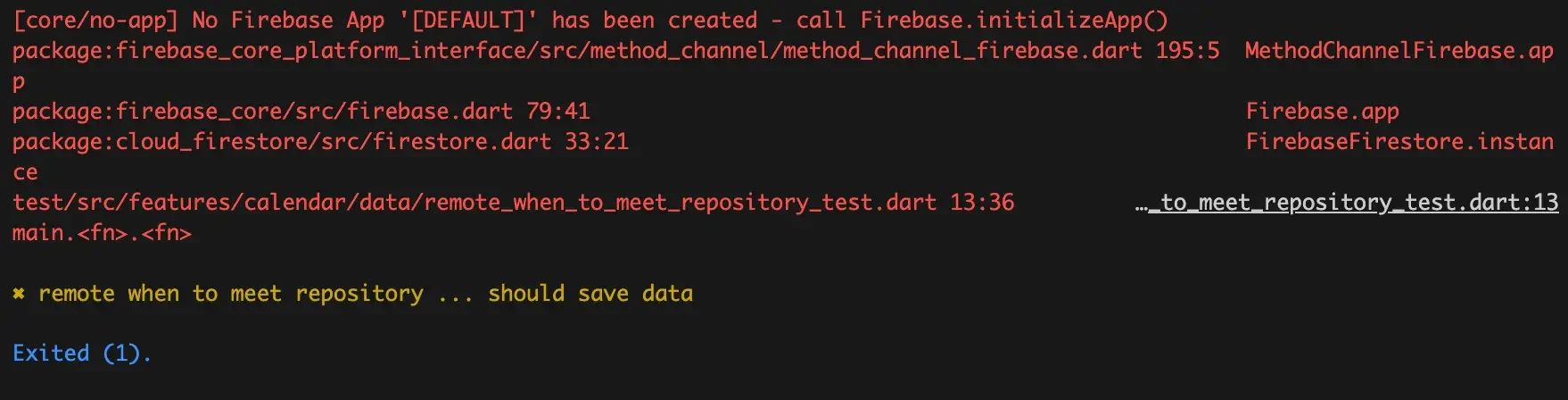
Since we're using a Fake, nothing actually gets saved. But why do we use Fakes and Mocks in testing?
The biggest reason is that we don't need to test that behavior — it's outside our test scope. Mock, Fake, Spy, Stub, and Dummy are collectively called Test Doubles. The term comes from "stunt doubles" in film, where stuntpeople stand in for actors in dangerous scenes.
Just changing final fs = FakeFirebaseFirestore(); (don't forget the import) made the test pass.
Only one line changed from the previous code, but it works fine in the test environment.
void main() {
  test('should save a when_to_meet domain data', () async {
    // given
    final whenToMeet = WhenToMeet.test();
    final fs = FakeFirebaseFirestore();
    final whenToMeetCollection = fs.collection('when_to_meet');

    // when
    when(await whenToMeetCollection.doc(whenToMeet.id).set(whenToMeet.toJson()));

    // Fetch the result from Firestore
    final expectResult = await whenToMeetCollection.doc(whenToMeet.id).get().then((doc) {
      final data = doc.data();
      if (data == null) return null;
      return WhenToMeet.fromJson(doc.data() as Map<String, dynamic>);
    });

    // then
    expect(whenToMeet, expectResult);
  });
}
Test Double#
Let me briefly summarize Test Doubles (with a little help from Gemini).
Why use Test Doubles?
- Isolating external dependencies: Prevents test results from becoming flaky due to external dependencies.
- Controlling the test environment: Makes it easy to set up specific scenarios or inputs needed for testing.
- Improving test execution speed: Using Fake objects that run faster than real objects speeds up tests.
- Expanding test coverage: Enables testing parts that would be difficult to test due to external dependencies.
Dummy
- Role: An object used simply to fill required parameters. It's not actually used — just there to make sure the code under test runs normally.
- Example: When a function requires an object as a parameter but doesn't actually use it, you can pass a Dummy object.
Fake
- Role: An object that behaves similarly to the real one but with simplified or limited functionality. Used when the real object is hard to use or complex, or when fast execution is needed in test environments.
- Example: Using an in-memory Fake database instead of a real database for testing.
Stub
- Role: An object that returns pre-defined values or behaviors. Used to predict and verify the output for specific inputs of the code under test.
- Example: Replacing external API calls with a Stub object to verify how the code under test behaves based on API responses.
Spy
- Role: An object that behaves like the real one while recording call information. Used to check how the code under test interacts with other objects.
- Example: You can verify through a Spy object whether a specific method was called, what arguments were passed, etc.
Mock
- Role: An object that expects and verifies specific behaviors. Used to confirm that the code under test interacts with other objects as expected.
- Example: You can verify through a Mock object whether a specific method was called a certain number of times, in a specific order, etc.
Looking at this summary, to do TDD properly you need to know the Given-When-Then pattern and Test Doubles, plus understand the concepts and usage of Unit Tests, Integration Tests, and Code Coverage... 😅
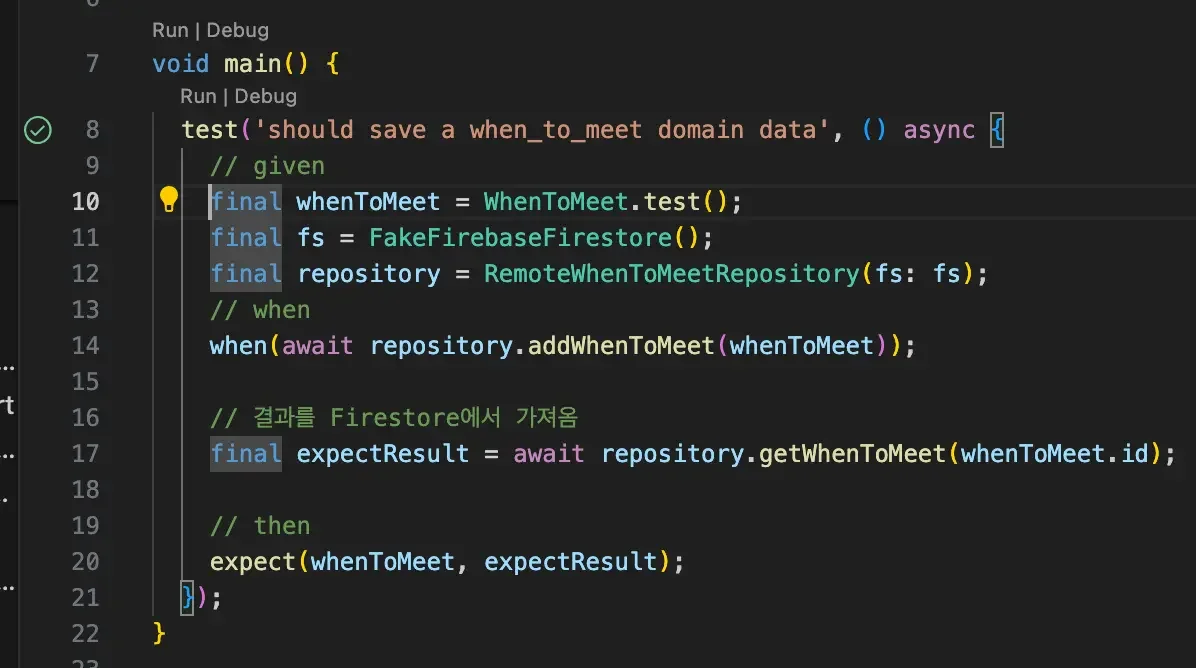
Now that I've tested with Firestore, I want to try testing with RemoteWhenToMeetRepository. Since I already implemented the main functions, I just need to call them, so the visible code is shorter.
void main() {
  test('should save a when_to_meet domain data', () async {
    // given
    final whenToMeet = WhenToMeet.test();
    final fs = FakeFirebaseFirestore();
    final repository = RemoteWhenToMeetRepository(fs: fs);
    // when
    when(await repository.addWhenToMeet(whenToMeet));

    // Fetch the result from Firestore
    final expectResult = await repository.getWhenToMeet(whenToMeet.id);

    // then
    expect(whenToMeet, expectResult);
  });
}
If you find yourself using the repository variable frequently, you can use setUp or setUpAll functions to treat it like a global variable. There are many ways to test, and sometimes certain approaches won't work in certain situations, but I'm glad I got to learn how to do it this time around.
If you're using VS Code, let me share a shortcut for running tests. First, start Start Debugging (shortcut F5), then place your cursor inside the test function you want to run and press F5, or press cmd + ; followed by cmd + c to run that function.
Things I Tried#
I also tried generating Mock objects through build_runner, but the getWhenToMeet function didn't return the same result as before. I need to look into this more, but I'll leave the code here for reference.
@GenerateNiceMocks([MockSpec<RemoteWhenToMeetRepository>()])
import 'remote_when_to_meet_repository_test.mocks.dart';

void main() {
  test('should save a when_to_meet domain data', () async {
    // given
    final whenToMeet = WhenToMeet.test();
    final repository = MockRemoteWhenToMeetRepository();
    // when
    when(await repository.addWhenToMeet(whenToMeet));

    // Fetch the result from Firestore
    final expectResult = await repository.getWhenToMeet(whenToMeet.id);
    // then
    expect(whenToMeet, expectResult);
  });
}
The road of excess leads to the palace of wisdom.
— William Blake