
When developing in Flutter, there comes a moment when you want to change the app name and icon.
You need to configure this for the devices you frequently run on and the platforms you plan to release on — and setting things up individually for AOS and iOS requires more knowledge than you'd expect.
Fortunately, there are packages on pub.dev that help with these settings.
To change the icon, you can use the flutter_launcher_icons package.
To change the app name and bundle ID, you can use the rename package.
Let me walk you through how to use both packages.
flutter_launcher_icons#
To use this package, you first need one thing prepared: the icon you want to use.
Usually designers create logos, but if you don't have one, you could try an AI logo generator site or reference sites like Logobook for inspiration. I tried some AI logo generation sites, but the quality wasn't quite what I wanted.
Once you've got the design ready, you need to make sure the logo meets app icon specifications. Check out Things to consider when making an app icon for help with that.
I'll continue the explanation assuming you have a file like logo.png ready.
Add the flutter_launcher_icons package to your dependencies: flutter pub add flutter_launcher_icons
Then run this command in the terminal: flutter pub run flutter_launcher_icons:generate
This will create a flutter_launcher_icons.yaml file. Open this file and change the settings to what you want. I only modified the image_path to my desired path.
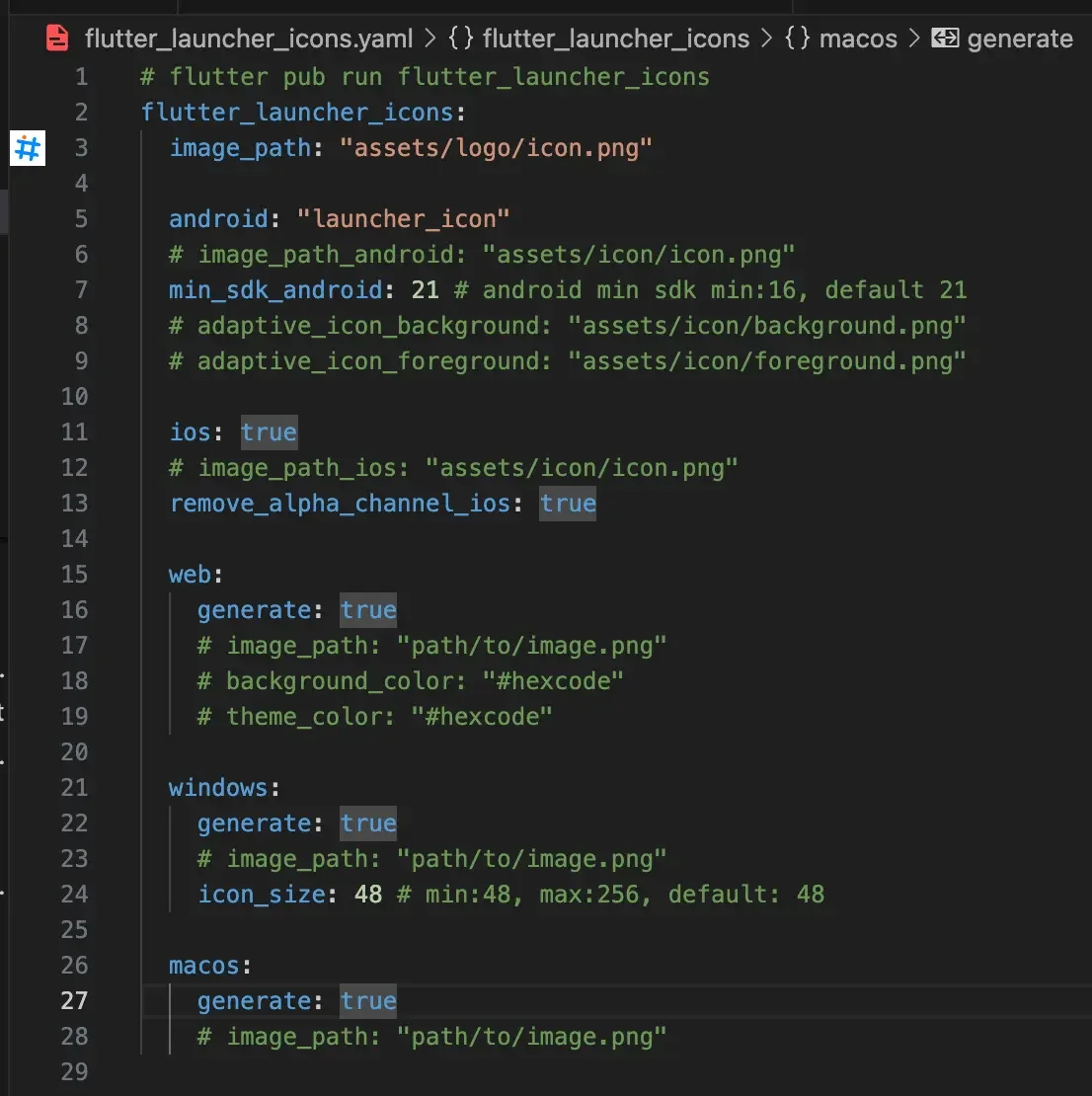
After entering the necessary settings, run flutter pub run flutter_launcher_icons and the package will take care of everything. Your icon should now be changed.
If the icon hasn't changed, it's likely because you need to delete the installed app and run it again, or you forgot to run the flutter pub run flutter_launcher_icons command.
rename#
The rename package needs to be installed globally or added to your project.
I installed it globally since I'd likely use it in other projects too.
Run the command: dart pub global activate rename
You can find the commands on GitHub - rename.
I only needed to change the App name and Bundle ID, so let me show you how I used the commands.
# Desired name, e.g.) MyApp
rename setAppName --targets ios,android,web,windows,macos,linux --value "{desired name}"

# Desired identifier, e.g.) com.ittae.calendar
rename setBundleId --targets ios,android,web,windows,macos,linux --value "{desired identifier}"
On the App Store, the bundle ID is a unique identifier for each app.
You can set it separately per device (macOS, iOS, watchOS) or use a wildcard (*).
After applying both packages, you can check the git changes. It's also a good idea to run each package one at a time and check what changed!
Reading, after a certain age, diverts the mind too much from its creative pursuits. Any man who reads too much and uses his own brain too little falls into lazy habits of thinking.
— Albert Einstein