
I'm documenting how I ended up using fvm to resolve an error that occurred while using Flutter 3.24.2 and go_router 14.2.3 in my project.
I usually get Flutter update news via email and would always update to the latest version unless there was an issue. I'd been doing this without running into major errors, so I felt safe.
But this time, when I ran the project in development mode and applied changes via hot reload, I started getting errors related to BuildOwner.scheduleBuildFor().
I found a related bug on Flutter issues and learned that the error was caused by go_router. When I stopped using go_router and switched to the default router, the error went away. But while developing, not being able to use go_router for page navigation felt inconvenient.
I didn't want to downgrade the Flutter version since it seemed like the issue would be fixed soon, but I also couldn't just leave it since that meant not using go_router.
So my solution was to go back to a version where go_router works in the project, and I decided to apply fvm.
fvm stands for Flutter Version Management, and it serves a similar purpose to pyenv and nvm.
The reason for using version management like this is that it helps ensure everyone working on the project can work in the same environment.
I wanted to install fvm on macOS. Just follow the instructions at Installation.
But when I tried to install via curl, I got an error.
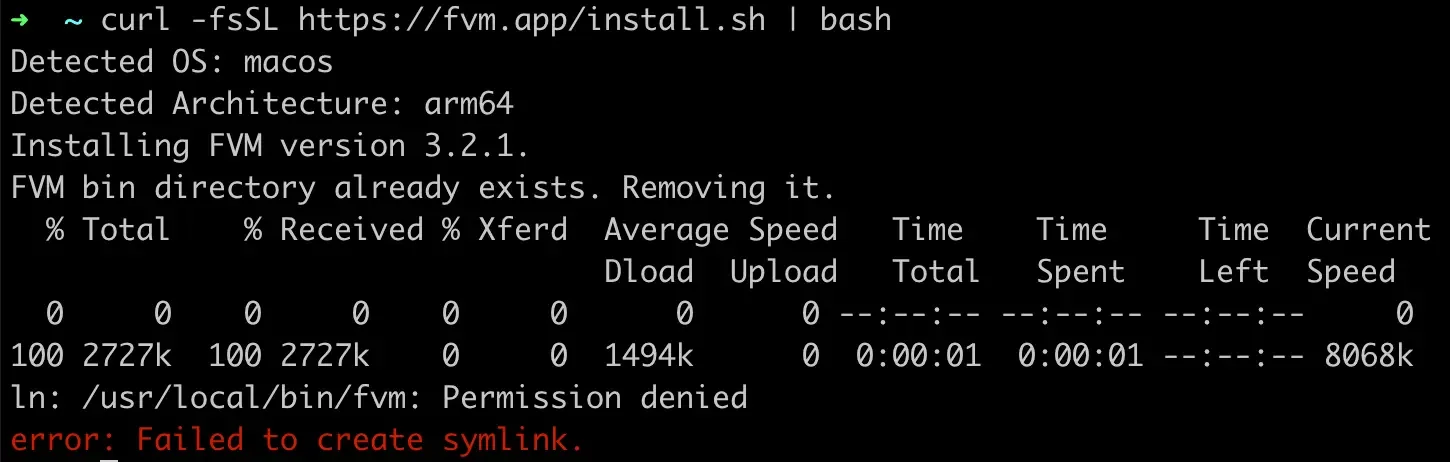
Looking up the issue, it turned out to be an unresolved problem, so I installed via Homebrew instead.
I'm not sure if this approach is correct, but since I was on 3.24.2, I went looking for a working version.
Looking at Flutter Tags, you can see all the versions that have been released. 3.24.1 didn't work either (which is why I'd upgraded to 3.24.2), so I thought I'd avoid the minor version entirely and decided to downgrade to 3.22.3.
In VS Code, I opened the Flutter project and typed fvm use 3.22.3 in the terminal.
But I belatedly realized I was in the ios folder. Make sure to check that your command runs from the project root! haha
I thought it would be quick with just one command, but since I had an existing setup, errors popped up.
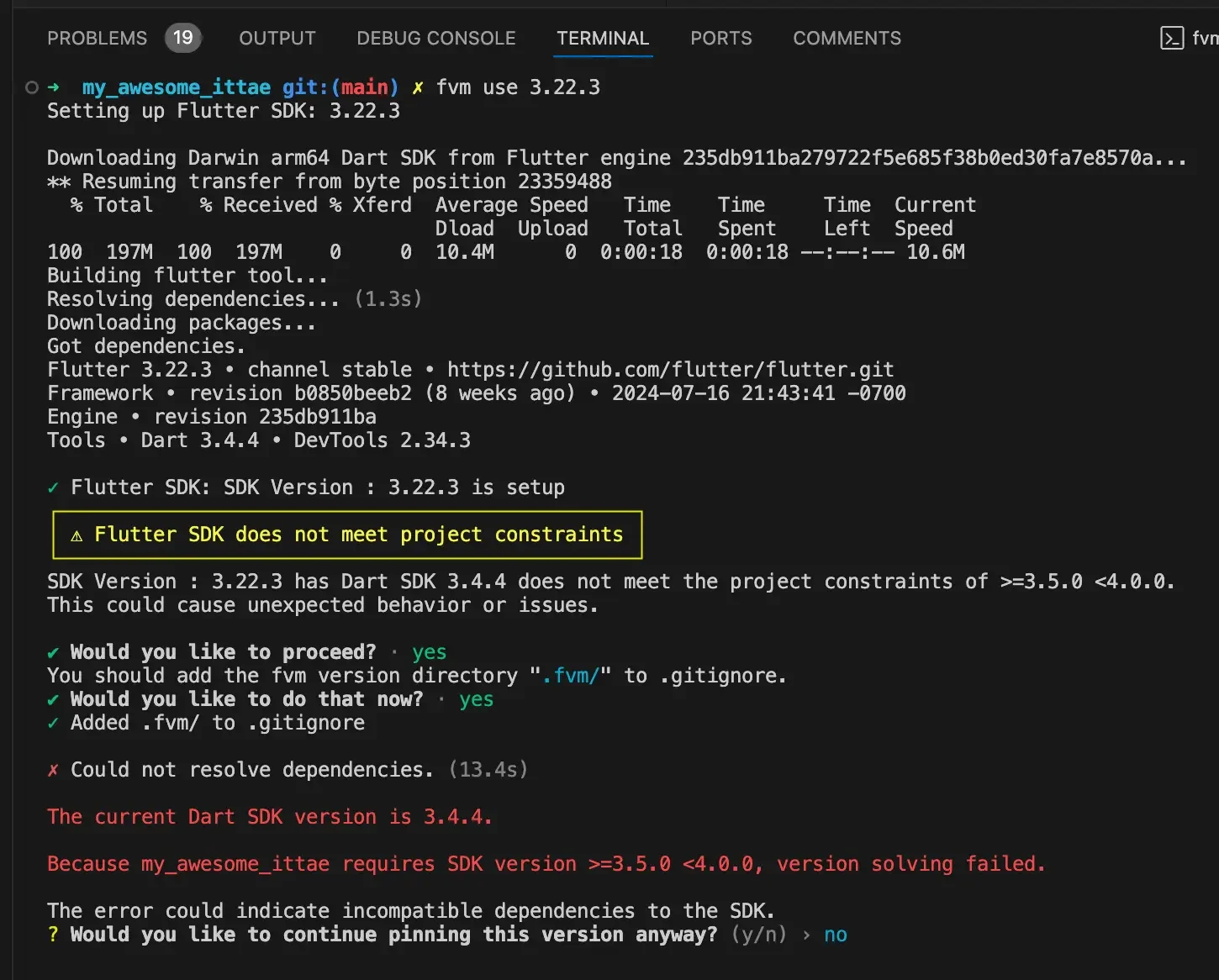
The Dart SDK was also matched to the latest Flutter version, so I needed to change that too. I opened pubspec.yaml and modified the environment section.
environment:
  sdk: '>=3.4.4 <4.0.0'
But more errors kept coming. Most were about existing packages being too new and needing to be downgraded. I did it the slightly tedious way — going to pub.dev, checking each problematic package one by one, rolling back to older versions, and repeatedly trying fvm use 3.22.3. If there was no problem with a package, its error message wouldn't show up. I repeated this process for about 3-4 packages. I looked around the fvm site for a command that could do this all at once, but couldn't find one.
If you know a way to automatically apply the latest compatible versions for the current Flutter version, please share!
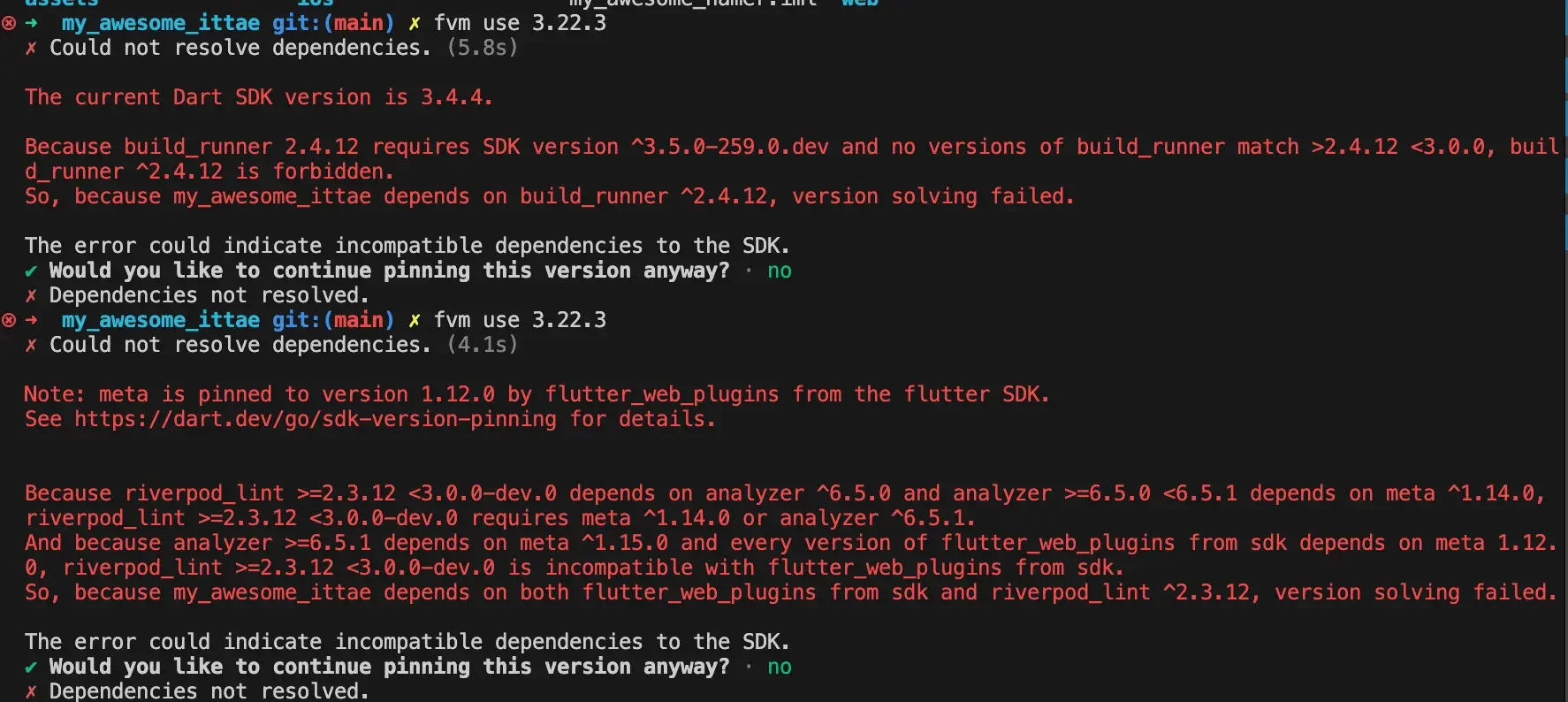
Once you get through this, the installation will complete and you'll see a message like this.
Now restart VS Code and everything should work.
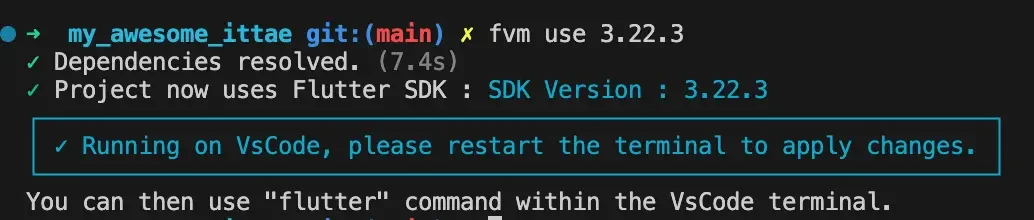
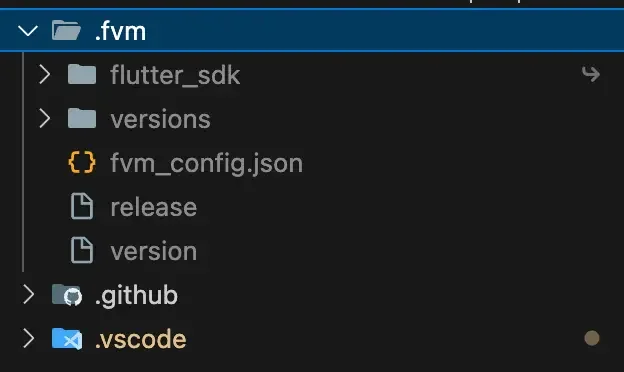
If you look inside your project, you'll find a .fvm folder has been created. With that, everything should run normally!
It might be a bit tedious, but this whole process takes less than 20 minutes once you get going.
Your vision will become clear only when you look into your heart. Who looks outside, dreams. Who looks inside, awakens.
— Carl Jung