
When I create Entity or Model objects in Flutter, I usually use Freezed and a code generator. Freezed is similar to Java's Lombok.
Freezed is a convenient package that uses code generation to write repetitive code that developers would otherwise have to implement themselves. It's so handy that I use it as a must-have whenever creating data objects.
However, there are a few things you need to do when using Freezed. You need to write @freezed above the class name, import the necessary packages, and specify the generated file name using the part keyword. I typically create them in the following format (I also use the json_serializable package):
import 'package:freezed_annotation/freezed_annotation.dart';
import 'package:my_awesome_project/src/features/events/domain/time_slot.dart';

part 'event.freezed.dart';
part 'event.g.dart';

@freezed
class Event with _$Event {
  const factory Event({
    required String title,
    required String description,
    required DateTime dateTime,
    required DateTime duration,
    required String? location,
    required String creator,
    required List<String> invitees,
    required List<TimeSlot> availableTimes,
  }) = _Event;

  factory Event.fromJson(Map<String, dynamic> json) => _$EventFromJson(json);
}
Typing all of this every time is really tedious. So I decided to create a VS Code snippet for it.
Open the Command Palette (Shift + Cmd + P) and type "snippets" to see several options.
Here, select Configure Snippets.
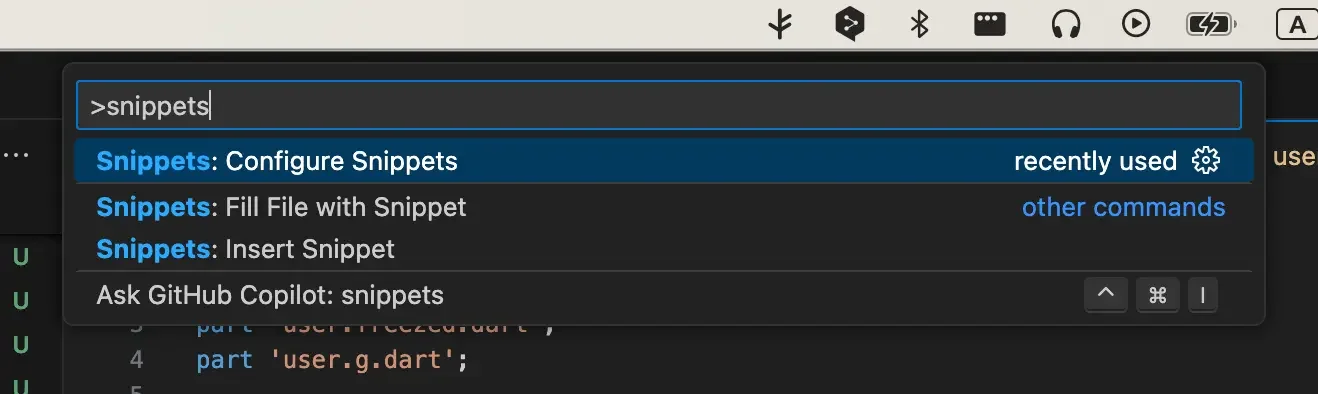
Next, you need to choose which language's snippet to create. Since I'm making one for Dart, I'll select dart.json.
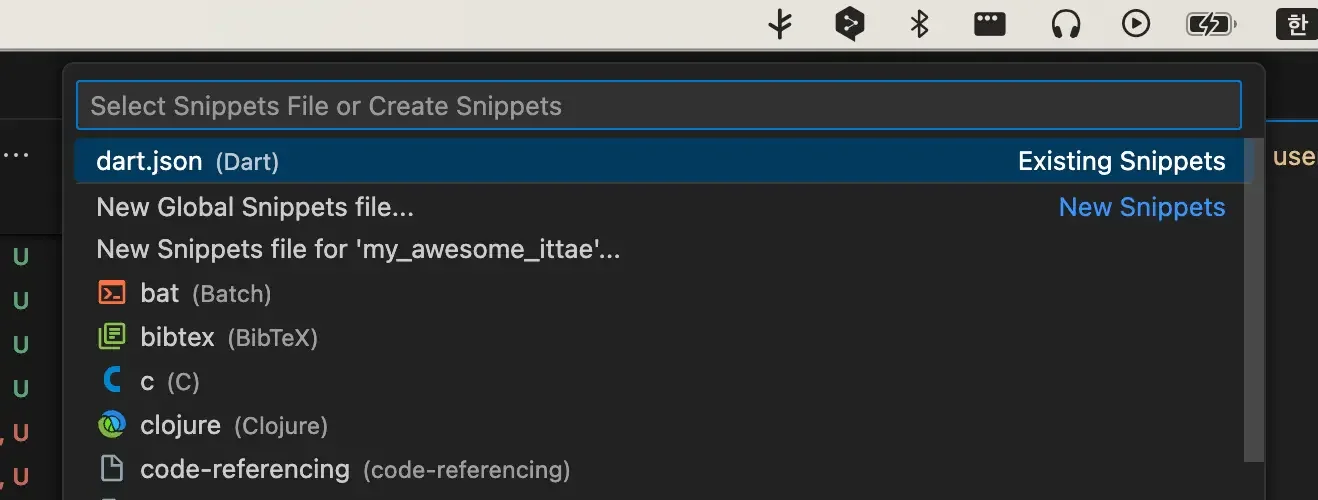
A file called dart.json will open. Initially, it will contain just an empty JSON object and comments.
Now just add the Freezed snippet to the JSON. Save the changes.
{
  "Freezed Data Class": {
    "prefix": "domain",
    "body": [
      "import 'package:freezed_annotation/freezed_annotation.dart';",
      "\n",
      "part '${TM_FILENAME_BASE}.g.dart';",
      "part '${TM_FILENAME_BASE}.freezed.dart';",
      "\n",
      "@freezed",
      "class ${1:DataClass} with _$${1:DataClass} {",
      "  const factory ${1:DataClass}({${2}}) = _${1:DataClass};",
      "\n",
      "  factory ${1:DataClass}.fromJson(Map<String, dynamic> json) => _${1:DataClass}.fromJson(json);",
      "}"
    ],
    "description": "Freezed Data Class"
  }
}
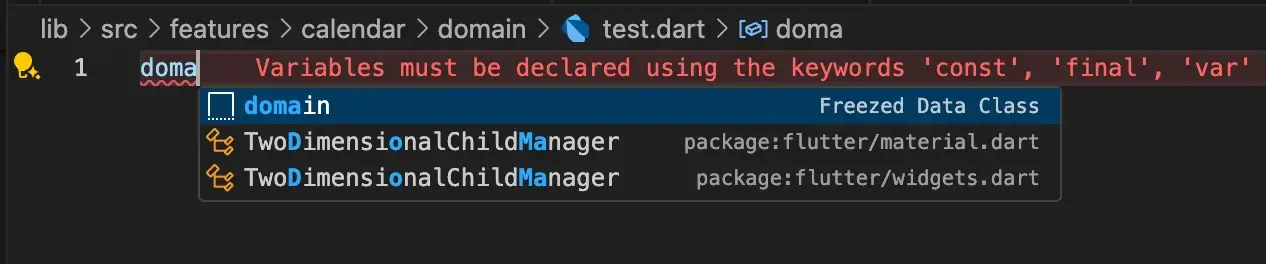
I set it to trigger this snippet when I type domain. You can also bring it up using the Trigger Suggest shortcut (for me, Option + Esc) like shown below.
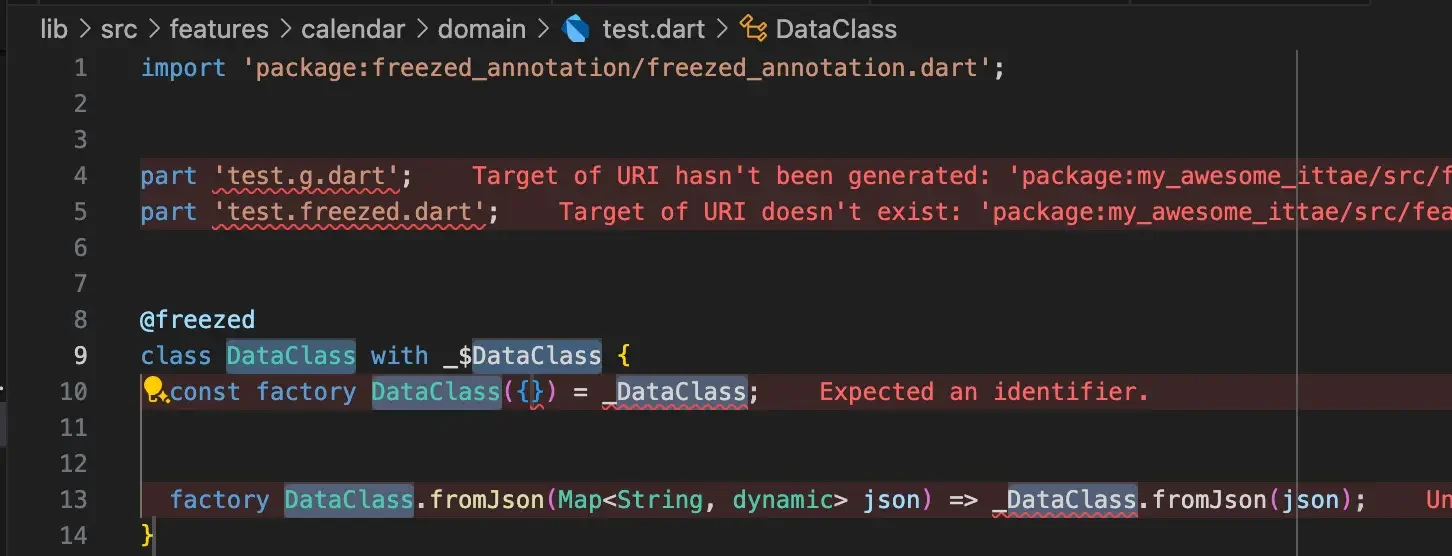
Find my snippet and press Enter, and it gets applied like this:
For cases like Riverpod or Freezed where a consistent format is needed, you can either install someone else's snippets through VS Code Extensions or create your own like this.
Kindness in words creates confidence. Kindness in thinking creates profoundness. Kindness in giving creates love.
— Laozi