
You can use Electron Forge to run Electron and set things up more easily than before.
I usually visit the Electron site when I want to look up Docs or APIs, and I go to Electron Forge when I want to set up a project structure.
Both sites explain how to configure debugging. Since I use VS Code, I was looking for a way to run and debug it directly there.
But when I followed both examples exactly as shown on those sites and ran them, the breakpoint did not turn red. It stayed gray instead, and the debugger never hit it. 🥲
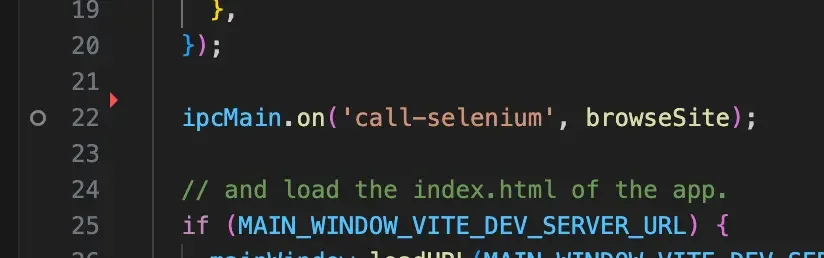
Since it was not working, I thought it might be because I had added a Vite environment. So I searched Google with the keyword electron forge vite debug, and that led me to the answer.
The most useful link I found was this GitHub issue: Vite template - code editor debugger can't hit breakpoints.
If you configure it the way it suggests, it looks like this.
You need to add one line each in vite.main.config.ts and launch.json.
// vite.main.config.ts
export default defineConfig((env) => {
	// ...omitted
	const config: UserConfig = {
		// ...omitted
		build: {
			// ...omitted
			// Add this part!
			sourcemap: forgeEnv.command == 'serve' ? true : false,
		}
	}
}
You also need to add sourcemap to launch.json.
{
  "configurations": [
    {
      "type": "node",
      "request": "launch",
      "name": "Electron Main",
      "runtimeExecutable": "${workspaceFolder}/node_modules/@electron-forge/cli/script/vscode.sh",
      "windows": {
        "runtimeExecutable": "${workspaceFolder}/node_modules/@electron-forge/cli/script/vscode.cmd"
      },
      // runtimeArgs will be passed directly to your Electron application
      "runtimeArgs": [
        "--sourcemap" // Add this part!
      ],
      "cwd": "${workspaceFolder}",
      "console": "integratedTerminal"
    }
  ]
}
After setting it up like this and running it in debug mode, your breakpoints should start getting hit!
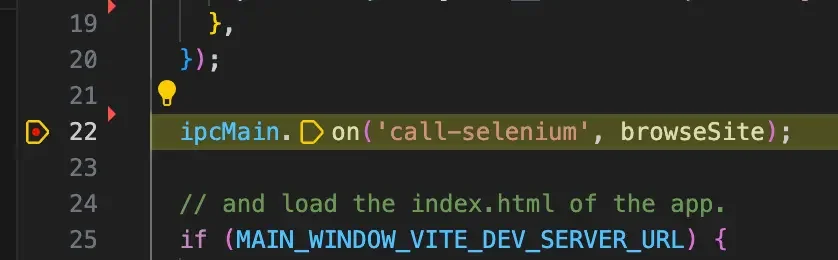
That way, you can develop comfortably with debugging even in an Electron Forge + Vite + React environment!
Success is not the key to happiness. Happiness is the key to success. If you love what you are doing, you will be successful.
— Albert Schweitzer